For care homes, home care and retirement living
Free enquiries. Free software. No commission.
Other care-matching sites charge you for every referral or take a cut of every placement. AskBart sends families straight to you and gives you the software to manage every enquiry, and charges you nothing.
What it saves you
Keep the money you pay for leads
Care-matching sites usually charge providers for the families they send. One of the best known charges home care agencies £30 for every hourly or overnight care referral and £60 for live-in care, plus VAT, whether or not the family goes ahead, and takes a commission on care home placements. For a busy agency, that runs to hundreds of pounds a month.
AskBart charges nothing. Families find you on AskBart and enquire straight to you, and the inbox, pipeline board, replies, room board, reviews and reports below come with your listing. We earn from adverts and affiliate links on our guides, never from the providers we list, so the families we send you cost you nothing and no one can pay to rank above you.
Referral prices from the provider help centre of Found by Lottie, checked November 2026.
For home care agencies
Built for how home care works
Families looking for care at home ask different questions from families choosing a care home: where you cover, what an hour costs and whether you can start next week. Your listing and your inbox are set up for exactly that.
- Enquiries say where care is needed (the postcode district), roughly how many hours a week, and visiting, overnight or live-in
- Each enquiry tells you whether that postcode is in the areas you cover
- Publish your hourly rate, overnight and live-in prices, shortest visit and the postcode districts you cover; your listing then shows on the town pages for those areas
- A capacity board: the care hours you can take on and when new care can start, which keeps “Taking new clients” on your listing right
- Tick the care you offer (visiting, live-in, waking nights, companionship, respite) and funding such as council direct payments, so families filtering for them find you
Every enquiry in one place
An enquiry inbox your whole team can use
Families who find you on AskBart enquire straight to you, and every enquiry lands in one inbox with what the family told us: the care needed, how it will be paid for, how soon and who it is for.
- Enquiries from AskBart arrive with an email alert, and a reminder if one waits more than a day
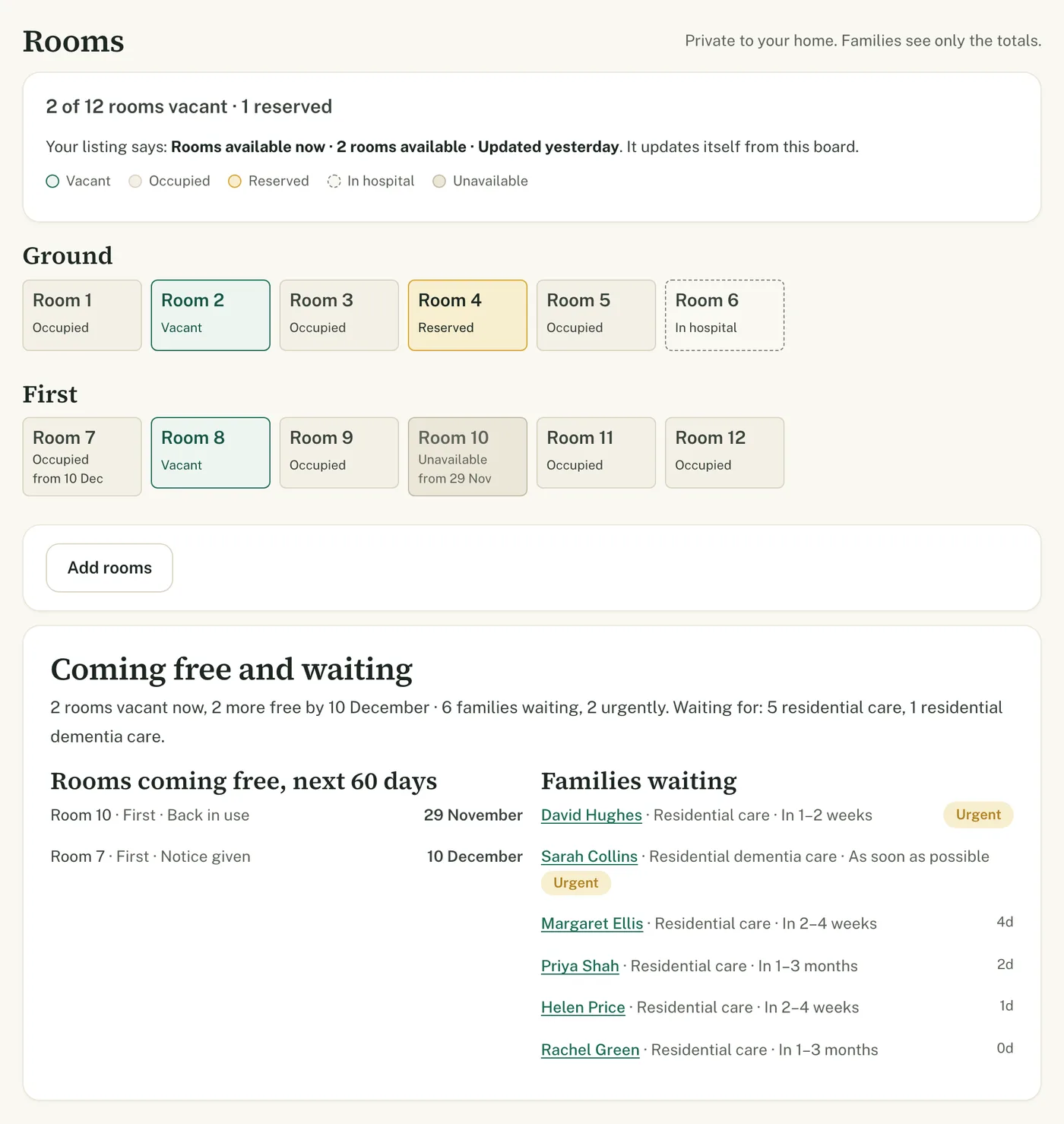
- Add phone calls and walk-ins by hand, so nothing lives on a sticky note
- Import past enquiries from a spreadsheet, and download everything as a CSV at any time
- Invite colleagues so the manager and the admin team see the same list
Pipeline board
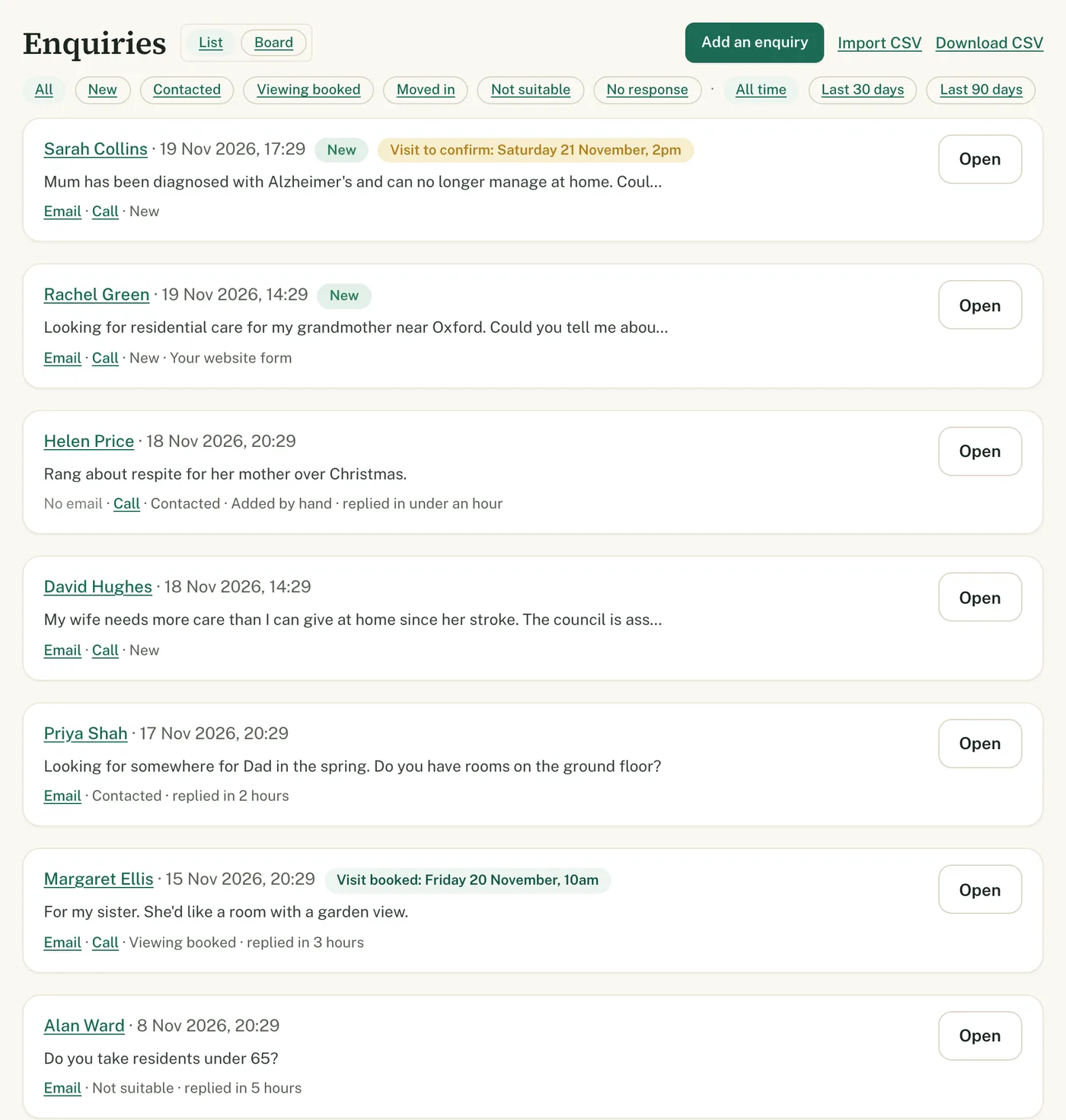
See where every family is, from first contact to move-in
Drag an enquiry from New to Contacted, Viewing booked and Moved in. The board and the list are the same data, so your response times, lost reasons and history stay right however you work.
- The oldest unanswered enquiry is always at the top of New
- A “Move to” menu on every card works on a phone or tablet too
- Visit requests show the day and time the family asked for, so you can confirm or suggest another
Replies and funding
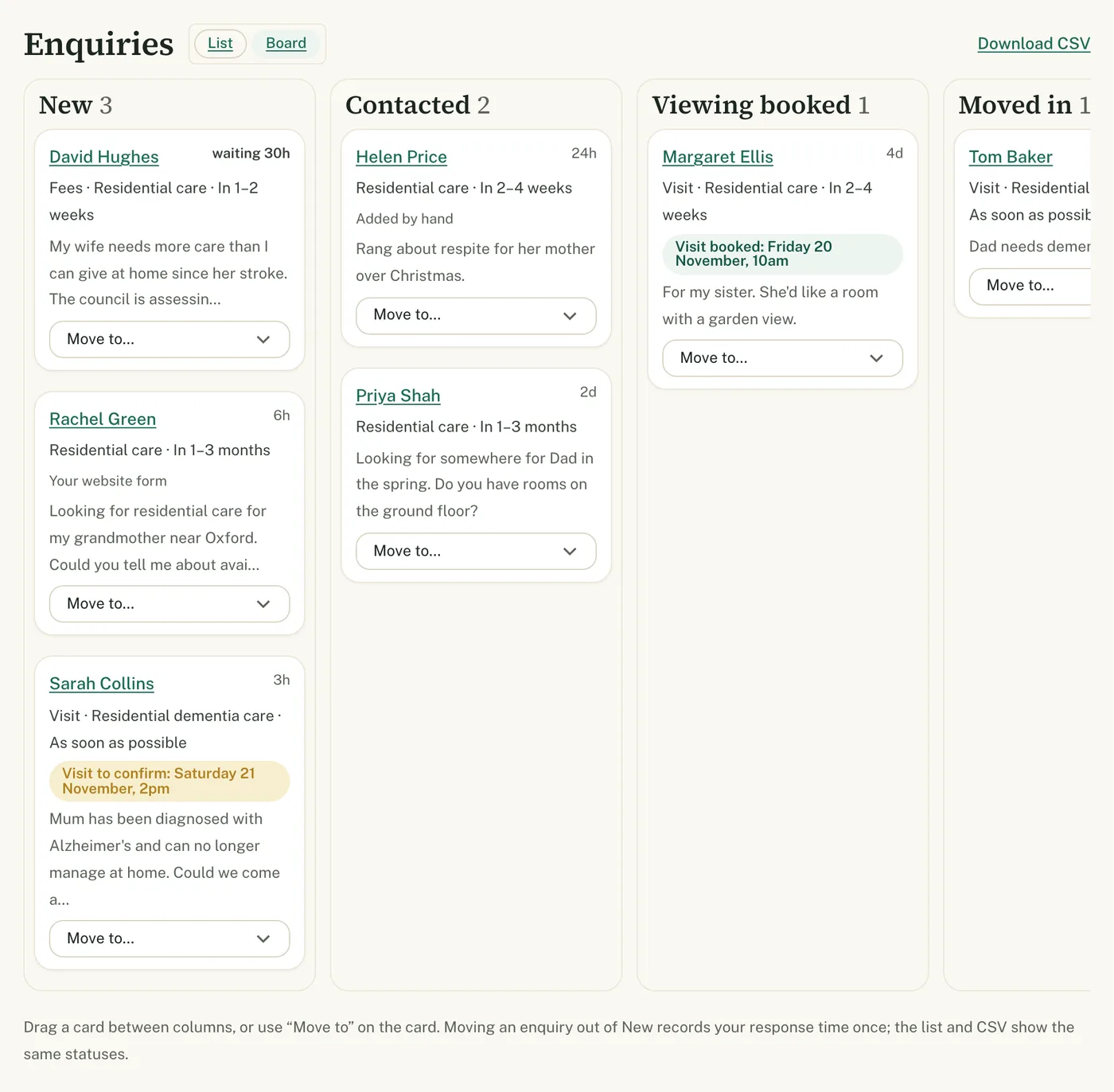
A reply ready to send, and the funding picture beside it
Each enquiry comes with a reply drafted from the family’s question and your listing. Edit anything, then send it in one click; the family’s answer comes straight back to you.
- Your fee for the care asked about, next to what the council usually pays, with the likely top-up
- The checks to make before a council-funded move, so nothing is missed
- If an enquiry goes 48 hours without a reply, we email you the draft to send with one click
Home care agencies see the council’s hourly home care rate beside their own instead.
Room board
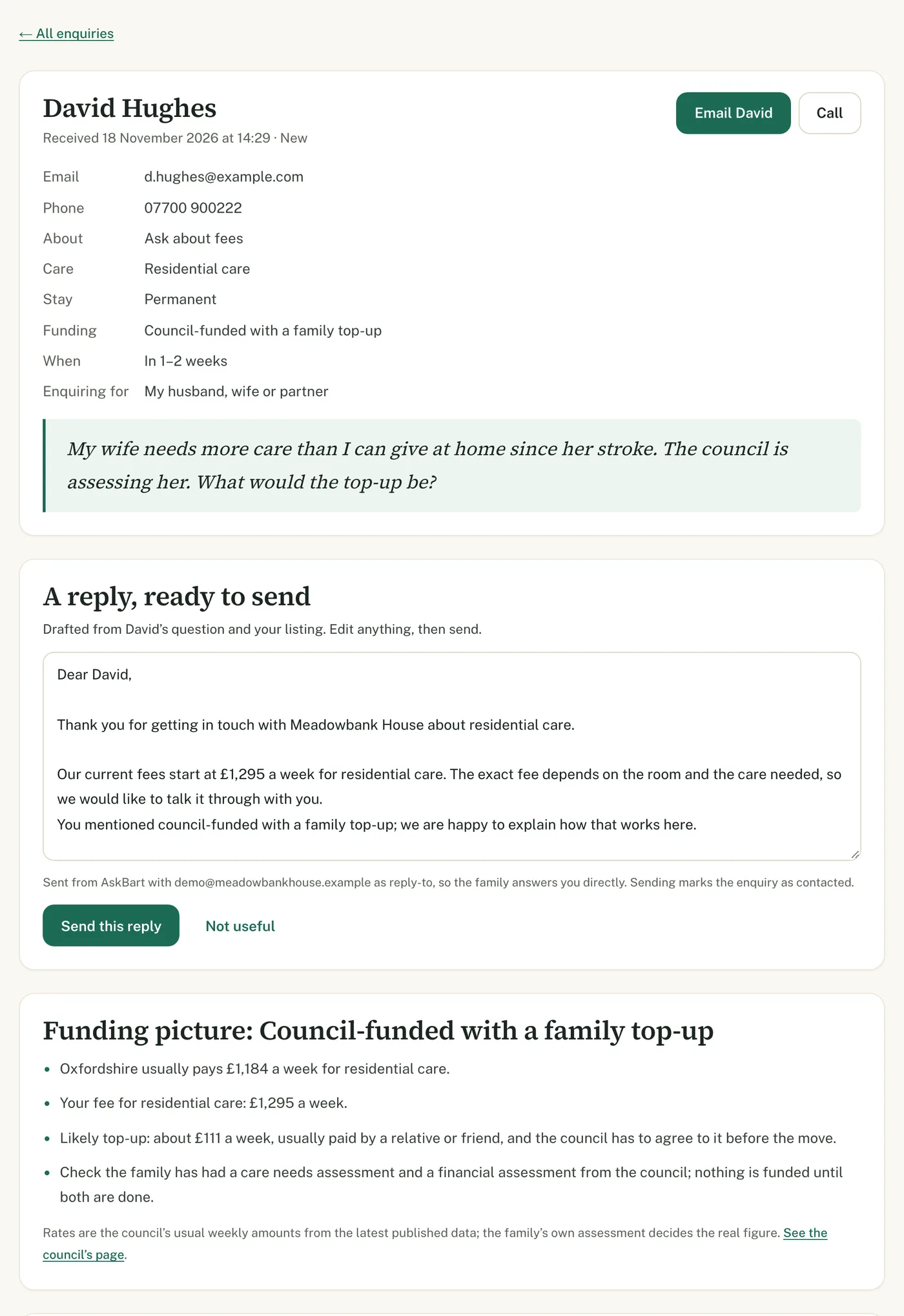
Keep vacancies right without thinking about it
One tile per room: vacant, occupied, reserved, in hospital or unavailable. Your listing’s vacancies update themselves from the board, so families see rooms you really have.
- Rooms coming free in the next 60 days, beside the families waiting for them
- Urgent enquiries flagged first, with the care each family needs
- Private to your home: families only ever see the totals
Home care agencies get a capacity board instead: the hours you can take on and when new care can start.
Your numbers
Know what your listing is doing for you
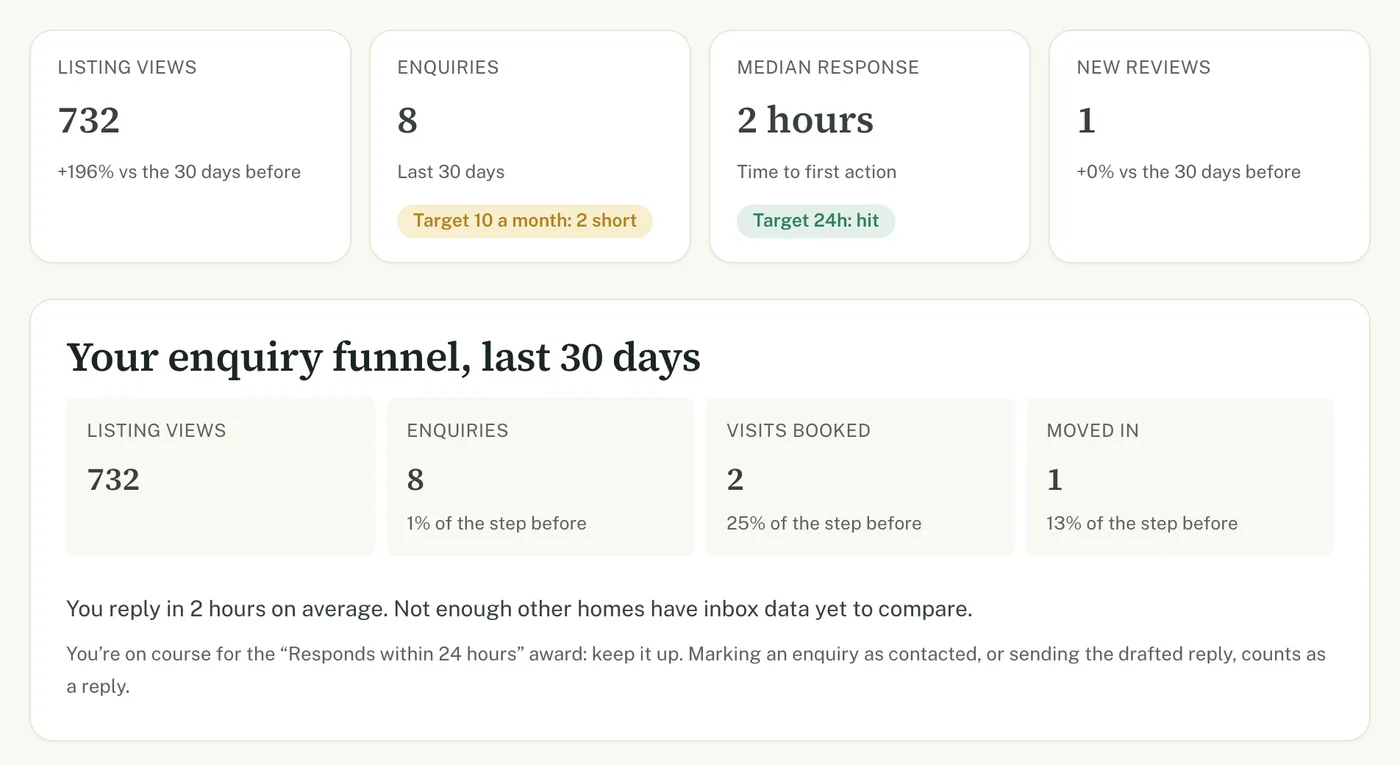
Views, enquiries, visits and move-ins for the last 30 days, how quickly you reply, and targets you set yourself. Anything that needs you, like an enquiry waiting too long, is at the top.
- Your reply time beside homes near you, once there is enough data to compare fairly
- A weekly email with the week’s numbers, and a nudge when your vacancies need a check
- Running several homes? One group view across all of them
Reviews
Turn happy families into reviews other families trust
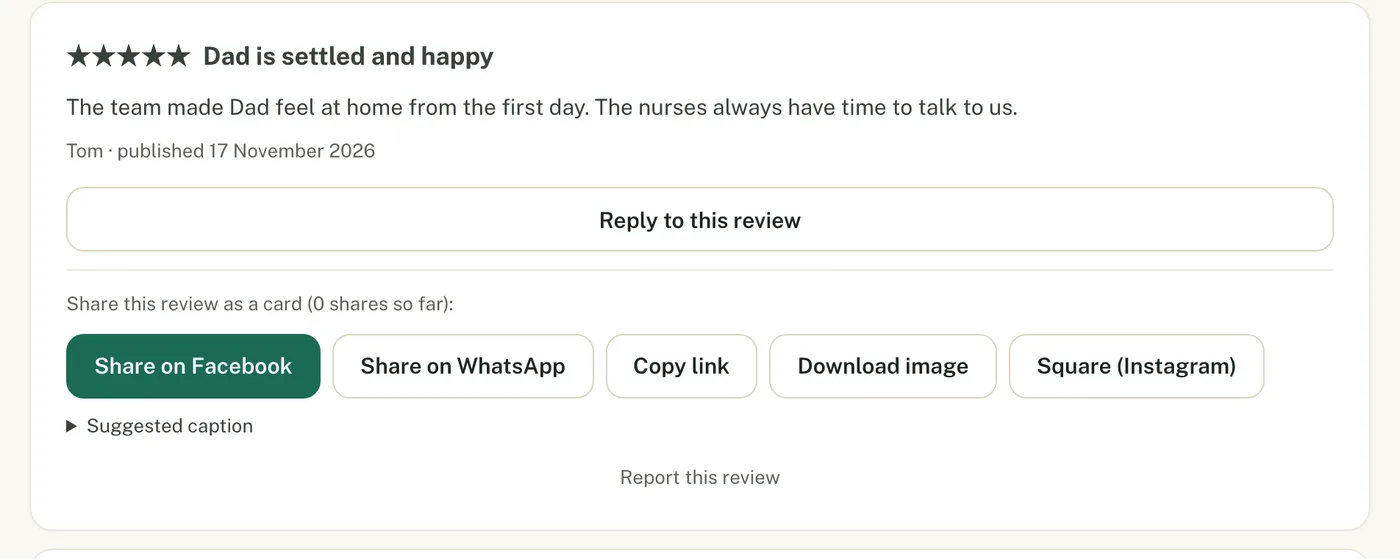
Families review your home on AskBart after they confirm their email, and our team checks every review before it is published. Reply to each one, and share the good ones.
- A printable QR card for reception that takes families straight to your review form
- Share a review as an image to Facebook, WhatsApp or Instagram
- A live badge for your own website that updates itself
Works with what you have
Your enquiries, on your website and in your own systems
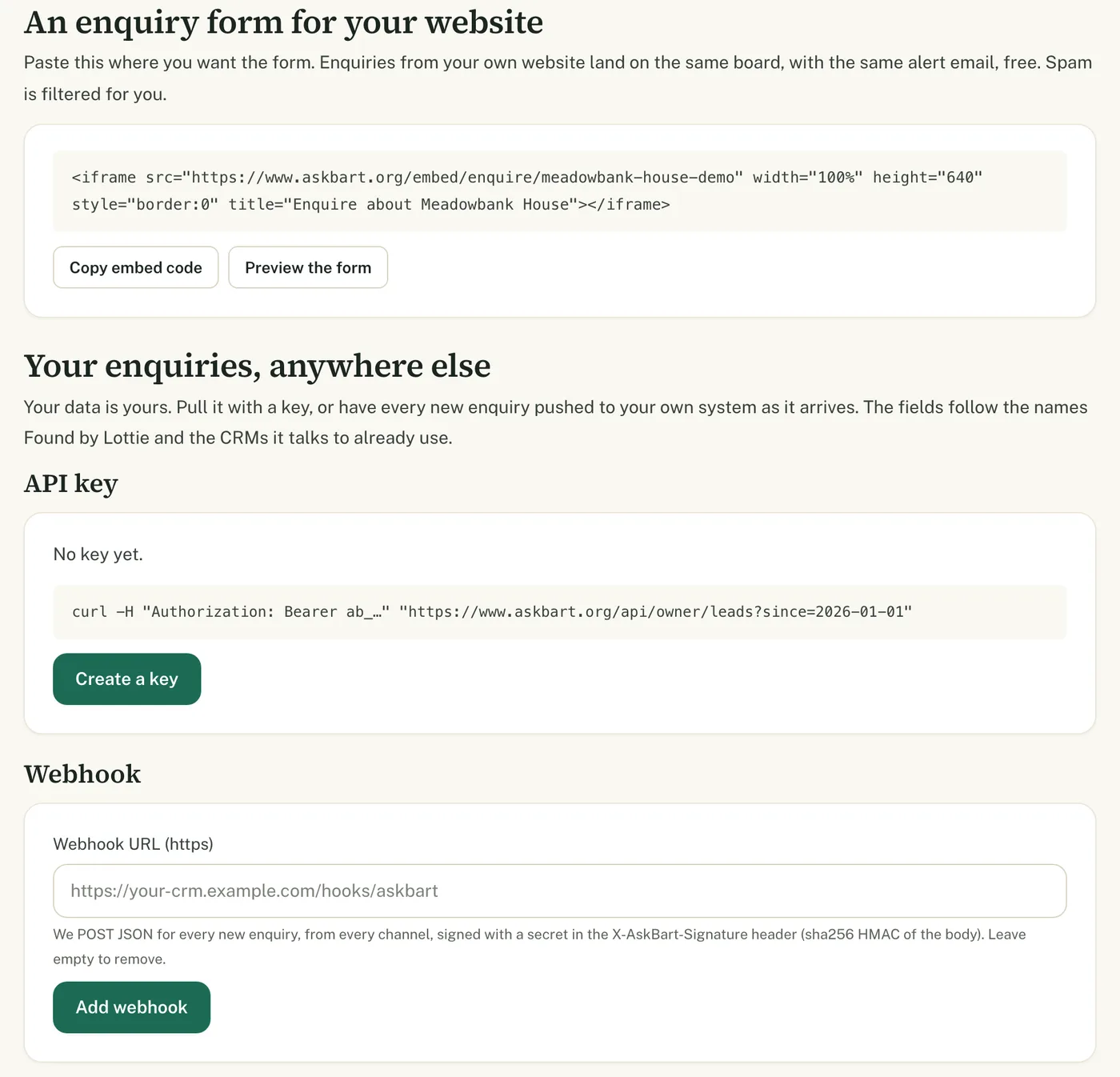
Put an AskBart enquiry form on your own website and those enquiries land on the same board, with spam filtered out. Already use a CRM? Send every new enquiry to it as it arrives, or pull them with your own key.
- A form for your website: copy one line of code
- A webhook and an API key, with fields in the names care CRMs already use
- Your data is yours: export it whenever you like
And on your listing
Keep what families see right, yourself
Fees, vacancies and contact details
Change them yourself and they publish straight away. Agencies set hourly, overnight and live-in prices.
Photos
Add photos of your home or service; good ones go live at once.
Questions families ask
Answer twenty common questions once; your answers show on your listing as “answered by the home”.
Your own link
Your listing lives at askbart.org/your-name, ready to share or print.
Screenshots show a demo home with sample enquiries; no real family or provider appears.
How to claim
Up and running in a couple of minutes.
Choose “Claim this listing”
Give your name, work email and role, and accept the provider terms.
Confirm and sign in
An email on your organisation’s own domain confirms you in one click; otherwise our team checks, usually within one working day.
Questions
Frequently asked
What does it cost?
We already pay for another enquiry or CRM system. Do we have to switch?
Does it work for home care and retirement living?
How do we claim our listing?
Can we pay to rank higher?
Who sees our enquiries and room board?
Stop paying for leads
Claim your listing: it’s free and takes about two minutes. Questions first? Email us and a person will reply.